

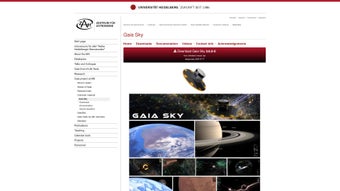
Description
Download Gaia Sky – Free 3D Astronomy Visualization Tool
Overview
Gaia Sky is a cutting‑edge astronomy visualization application built for macOS users who want to explore the cosmos without leaving their desk. As a free and open‑source project, it brings the power of the European Space Agency’s Gaia mission to a consumer‑friendly interface, letting you wander through billions of stars, galaxies, nebulae, and solar‑system bodies in real time. The software renders a massive, data‑driven universe that can be navigated with a keyboard, mouse, game controller, or even a VR headset, delivering an immersive experience that feels both scientific and spectacular. The base download includes a comprehensive model of our solar system—planets, moons, dwarf planets, and major asteroids—while optional datasets unlock deeper layers such as the Milky Way’s spiral arms, nearby star clusters, and extragalactic structures. High‑resolution texture packs further enhance visual fidelity, turning a simple starfield into a breathtaking, photorealistic night sky. Whether you’re an amateur astronomer, a teacher looking for an engaging classroom demo, or a casual stargazer curious about the scale of the universe, Gaia Sky offers a secure, regularly updated platform that runs smoothly on modern Macs. Its open‑source nature also means the community continuously adds features, bug fixes, and new data releases, ensuring the tool stays current with the latest astronomical discoveries.
Key Features
- Real‑time 3D rendering of over 1 billion celestial objects.
- Free, open‑source code with regular community‑driven updates.
- Support for multiple input methods: keyboard, mouse, gamepad, and VR controllers.
- Modular dataset system – start with the solar system and expand to the full Milky Way, nearby galaxies, and deep‑space surveys.
- High‑resolution texture packs for planets, moons, and nebulae, delivering photorealistic surfaces.
- Accurate astrometric data from the Gaia mission, ESA’s Hipparcos catalogue, and other public archives.
- Customizable navigation speed and camera angles for both casual tours and precise scientific inspection.
- Built‑in measurement tools for distance, velocity, and angular size calculations.
- Cross‑platform support for macOS (primary), with community ports for Windows and Linux.
- VR mode compatible with popular headsets such as Oculus Rift, HTC Vive, and Valve Index.
Installation & Usage Guide
Getting started with Gaia Sky is straightforward. First, visit the official GitHub releases page and download the latest macOS .dmg bundle. The installer is signed, ensuring a secure download that macOS will accept without triggering security warnings. Once the file is mounted, drag the Gaia Sky icon into your Applications folder. The initial launch will prompt you to select a data directory; this is where the program stores the base solar‑system dataset and any additional packages you choose to install later.
After the core files are in place, open Gaia Sky from the Applications folder. The main window presents a minimalist HUD with navigation controls at the top. Use the W, A, S, D keys to fly forward, left, back, and right; mouse movements adjust the view direction. For a more tactile experience, connect a game controller via Bluetooth or USB and map the sticks to pitch, yaw, and throttle. If you own a VR headset, enable “VR Mode” in the settings menu; the software will automatically detect supported devices and switch to a stereoscopic view.
To expand your universe, click the “Datasets” button in the side panel. Here you can download optional packs such as “Milky Way Spiral Arms,” “Nearby Galaxies,” or “High‑Res Planet Textures.” Each pack is a compressed archive that Gaia Sky extracts to the data directory. The program will index the new objects on the next start‑up, after which you can instantly jump to any added region using the search bar or the “Jump To” coordinates dialog. For educators, the “Presentation Mode” locks camera movement and hides UI elements, creating a clean, cinematic view for classroom demonstrations.
Compatibility: Gaia Sky runs on macOS 10.13 (High Sierra) and later, requiring at least 4 GB of RAM and a graphics card supporting OpenGL 3.3 or Vulkan. Performance scales with hardware; on a recent MacBook Pro with an M1 chip, the application maintains 60 fps at 1080p even when rendering the full Milky Way dataset. Older Macs may need to limit active datasets or lower texture resolution for smooth operation.
macOS 10.13 or later (compatible with Apple Silicon and Intel processors)
Pros, Cons, FAQ & Conclusion
Pros
- Completely free and open‑source – no hidden fees or subscription.
- Extremely scalable – start small and grow to a full‑scale universe.
- Rich input support, including VR, makes it accessible to a wide audience.
- High scientific accuracy thanks to Gaia mission data.
- Active community provides frequent updates and new datasets.
Cons
- Initial dataset download can be several gigabytes, requiring a fast internet connection.
- Advanced features (VR, high‑res textures) demand a relatively powerful GPU.
- Documentation, while improving, can be sparse for novice astronomers.
- Native Windows support is community‑maintained and may lack polish.
- Large datasets increase storage usage on the host machine.
Frequently Asked Questions
Is Gaia Sky really free?
Yes. Gaia Sky is released under the MIT license, meaning you can download, use, and even modify the software at no cost.
Can I use Gaia Sky on a Windows PC?
A community‑maintained Windows build exists, but the official release focuses on macOS. Windows users may need to compile from source or rely on the unofficial installer.
Do I need a VR headset to enjoy Gaia Sky?
No. While VR provides an unparalleled immersion, the standard 3‑D view works perfectly with a mouse, keyboard, or game controller.
How often are new datasets released?
The developers sync with Gaia DR3 releases and other public catalogs roughly every six months, adding new stars, asteroids, and refined positions.
Is my system safe when downloading Gaia Sky?
All official binaries are signed and distributed via GitHub releases, ensuring a secure, malware‑free installation.
Conclusion & Call to Action
Gaia Sky stands out as one of the most powerful yet accessible astronomy tools available for macOS. Its blend of scientific rigor, stunning visual fidelity, and flexible input options makes it a perfect companion for anyone who wants to “travel” through space from the comfort of their home office. While the initial data footprint and occasional learning curve may deter casual users, the long‑term benefits—free updates, community support, and an ever‑expanding universe—far outweigh these minor hurdles. If you’re ready to explore the stars, download Gaia Sky today, install the base dataset, and let the cosmos unfold at your fingertips.
Overall Rating: 4.7 / 5
Summary: Gaia Sky delivers a professional‑grade astronomy experience for free, with a few hardware requirements for the most advanced visual packs.
Guides & Tutorials for Gaia Sky
How to install Gaia Sky
- Click the Preview / Download button above.
- Once redirected, accept the terms and click Install.
- Wait for the Gaia Sky download to finish on your device.
How to use Gaia Sky
This software is primarily used for its core features described above. Open the app after installation to explore its capabilities.
User Reviews for Gaia Sky 0
No reviews found





.webp)